
Air Pumps
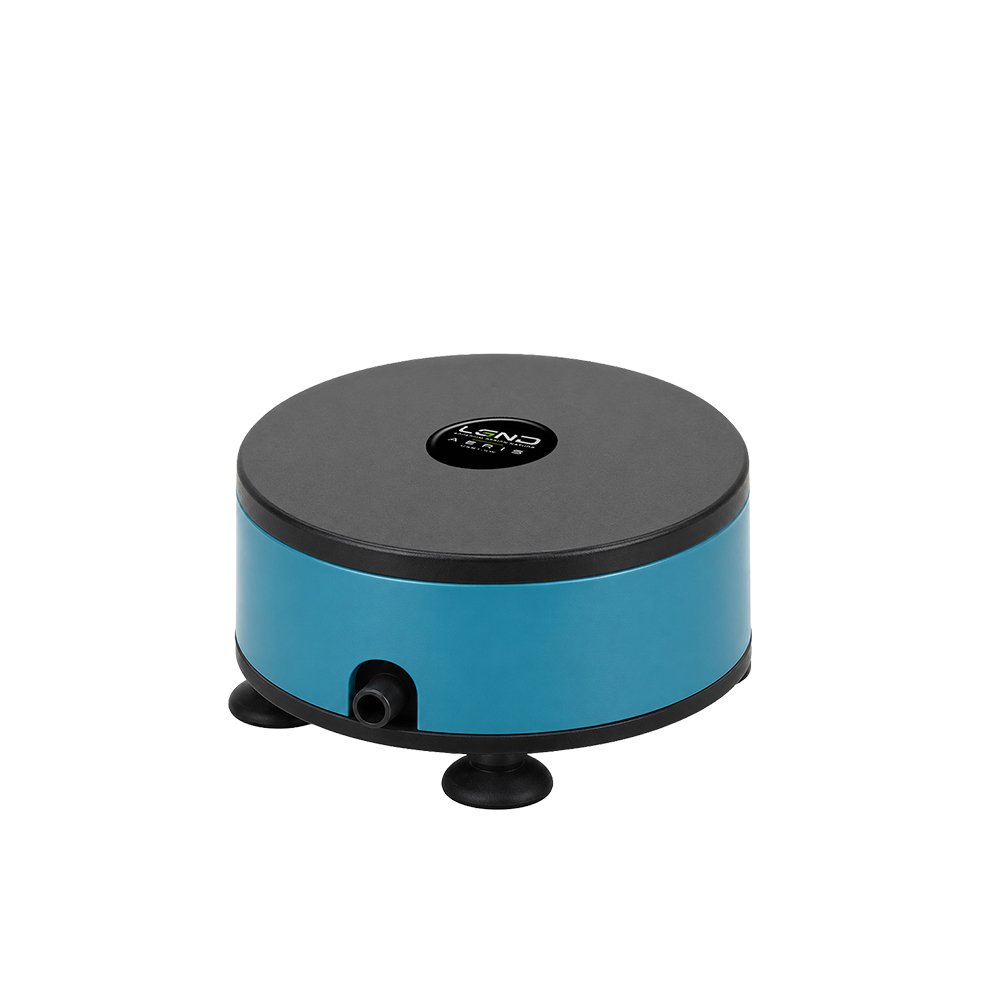
LGND Aeris™ USB 1.5W
Compact 5 V USB air pump for aquariums
Powers one air stone or one LGND Aerator™
Rated power 1.5 W
USB-A plug on attached cable
62 mm diameter, 30 mm high
Made by 
£ 13.99 (incl. VAT)
- EUR: 16.70€
Overview
LGND Aeris™ is a compact USB air pump for ornamental aquariums. It supplies air to an air stone or to the LGND Aerator™ 20 and Aerator™ 30. When paired with either aerator, bubbles rise through the clear tube and lift water towards the surface, creating local circulation and supporting gas exchange.
The round pump body measures just 62 mm across and 30 mm high, making it easy to position on a shelf beside the aquarium. A single air outlet connects to the airline, while the attached USB-A cable connects to a 5 V power source.
Key Features
- USB powered. Runs from a compatible 5 V USB-A mains adaptor or power bank.
- Compact, low-profile body. The 62 mm footprint takes up little shelf space, and the side outlet lets the airline run alongside the pump.
- Single air outlet. Supplies one air stone or one LGND Aerator™ through a single airline connection.
- Available with LGND Aerator™. Offered as a set with both the Aerator™ 20 and Aerator™ 30, where it comes in its own box.
Technical Specification
Directions
1. Position the pump.
Place it on a stable, dry surface beside the aquarium and above the water level. Keep the pump and USB connection away from splashes.
2. Connect the airline.
With the pump disconnected from power, push the airline firmly onto the side outlet. Connect the other end to the air stone or the air inlet of your LGND Aerator™.
3. Fit a non-return valve.
Install it in the airline with the airflow arrow pointing from the pump towards the aquarium. This helps prevent water flowing back towards the pump when power is interrupted.
4. Start the pump.
Position the air stone or aerator in the aquarium, then plug the USB cable into a compatible 5 V supply. Check that bubbles rise steadily and that the airline is free from kinks.
5. Adjust the airflow if needed.
When using the control valve supplied with the LGND Aerator™, start with the valve open and reduce the flow gradually until you see a steady stream of bubbles and gentle surface movement.
FAQ
Which LGND Aerator™ models can I use with Aeris™?
Aeris™ works with both LGND Aerator™ 20 and LGND Aerator™ 30, and is available as a set with either model. The two aerators use different lengths of clear tubing; in each set the pump comes in its own box.
Can I use it with an ordinary air stone?
Yes. Connect a compatible air stone to the pump using aquarium airline. With an LGND Aerator™, the bubbles rise inside the clear tube. With a standalone air stone, they rise directly through the aquarium water.
Can I run it from a USB power bank?
Yes, provided the power bank supplies 5 V and stays active with a low-power device connected. If the power bank switches itself off, use its low-current mode if available, or use a compatible USB mains adaptor.
Why am I getting very few bubbles?
Start by opening the airflow control valve. Check the airline for kinks or loose connections and make sure the non-return valve points towards the aquarium. If the flow is still weak, inspect the air stone for build-up and clean or replace it as needed.